How to Reduce the Exposure of Adult Content Viewing History and Payments on Shared Devices
Shared Devices Can Reveal More Than Your Browser History
Using a shared computer, tablet, smart TV, or other household device means your activity may be visible to the next person who uses it. While many people think deleting browser history is enough to protect their privacy, traces of your activity can also remain in streaming apps, saved payment methods, synced browser data, email receipts, and account recommendations.
This is especially important for adult content platforms, where viewing history, continue-watching lists, saved logins, and payment information are often stored by default. If multiple people use the same device or account, these details may become visible even if you never intended to share them.
Reducing this exposure is not about becoming anonymous online or hiding activity from your internet provider. Instead, it is about limiting what other people using the same device can see. By understanding where your information is stored and adjusting a few privacy settings, you can significantly reduce the amount of personal data left behind after each session.
Where Viewing and Payment Traces Can Appear
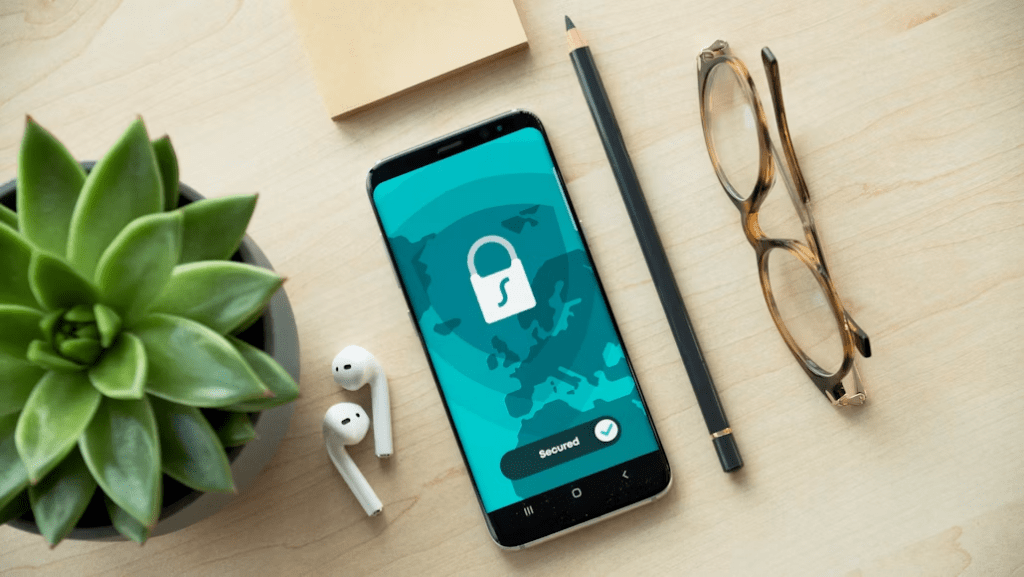
Before changing any settings, it helps to understand where your activity is actually stored. Many people clear their browser history and assume everything has been removed, but browsing history is only one piece of the picture.
On a shared device, traces may remain in the browser itself. These can include browsing history, cookies, cached files, autofill suggestions, saved passwords, download records, and open tabs. Even if you close a website, another person may still see evidence of your activity through search suggestions or saved login information if these features remain enabled.
Adult content platforms may also store information in your account rather than on the device. Viewing history, continue-watching lists, recent searches, recommendations, and active login sessions are often synchronized whenever you sign in. Clearing your browser history does not remove this information because it is stored on the platform’s servers instead of your device.
Payment information creates another layer of exposure. A shared computer or tablet may remember saved credit cards through the browser, digital wallet, or the platform itself. Email receipts, subscription confirmations, and purchase notifications can also appear on devices connected to the same email account.
Separate Your Activity From Other Device Users
The most effective way to protect your privacy on a shared device is to separate your activity from everyone else’s instead of trying to erase it afterward.
On computers, creating a separate operating system account allows each user to keep their own browser history, saved passwords, downloads, and application data. A password-protected account greatly reduces the chance that another household member will accidentally encounter your browsing activity while using the same computer.
If separate operating system accounts are not available, using a dedicated browser profile is another option. A browser profile keeps bookmarks, browsing history, cookies, and saved logins separate from your primary profile, making it easier to isolate personal activity from everyday browsing.
However, a browser profile should not be viewed as complete protection. Anyone who can freely open that profile can still access the information stored inside it. Whenever possible, combine separate browser profiles with password-protected user accounts on the device itself.
It is also worth checking who has access to your accounts. If a browser remains signed in to your Google, Apple, or Microsoft account on a shared device, your browsing data, saved passwords, and payment information may automatically synchronize across devices. Signing out of shared devices or disabling unnecessary synchronization reduces the chance that personal information will appear somewhere you did not expect.
Use Private Browsing for Local Privacy, but Know Its Limits
Private browsing modes, such as Chrome Incognito, Firefox Private Browsing, and Safari Private Browsing, are useful for reducing the amount of information stored on a shared device. When used correctly, these modes typically do not save browsing history, cookies, or site data after all private windows are closed.
This makes private browsing a practical option when you want to prevent another person using the same browser from immediately seeing which websites you visited. It can also reduce the amount of autofill data and temporary browsing information left behind after a session.
However, private browsing has important limitations that are often misunderstood. It does not prevent a website from recording your activity once you sign in, nor does it remove viewing history stored in your account. Downloaded files remain on the device unless you delete them manually, and bookmarks you choose to save are still available after the private session ends.
It is also important to remember that private browsing only affects what is stored locally in the browser. It does not hide your activity from the website you visit, your employer or school if they manage the network, or your internet service provider.
For shared devices, private browsing should be viewed as one layer of protection rather than a complete privacy solution. Closing every private tab after you finish, avoiding unnecessary downloads, and signing out of your account before leaving the device all help reduce the information left behind.

Remove Platform History and Sign Out After Each Session
Many people assume that clearing browser history removes everything related to their activity, but this is not the case when using an account-based streaming service.
Most streaming platforms maintain their own records, including viewing history, recently watched titles, continue-watching lists, search history, and personalized recommendations. These records are linked to your account rather than your browser, so they remain available whenever you sign in again, even on a different device.
If the platform allows it, review your account settings and remove viewing history or individual titles that you no longer want displayed. Some services also let you clear recent searches or remove content from the continue-watching section, although available options vary between platforms.
Signing out after every session is another simple habit that can reduce accidental exposure on shared devices. Remaining signed in makes it easier for the next person to open the app or website and immediately see your recommendations, watch history, or account information.
You should also check which devices are currently signed in to your account. Many services provide a page showing active sessions or recently used devices. Removing devices you no longer use helps prevent your account from remaining accessible on computers, tablets, or TVs that other people can use.
Remember that deleting browser cookies or cache does not automatically erase information stored on the platform itself. If your viewing history is saved in your account, it must be managed through the platform’s own settings whenever that option is available.
These small habits—signing out after each session, reviewing active devices, and managing account history—often provide more protection on shared devices than simply clearing the browser history.
Keep Payment Information Off the Shared Device
Viewing history is only one aspect of privacy. Saved payment methods, email receipts, and subscription records can also reveal information about your activity, even if your browsing history has been cleared.
Whenever possible, avoid saving payment details on a shared device. Browsers, digital wallets, and some streaming platforms can store card information to speed up future purchases, but this convenience also makes the information more accessible to anyone using the same device. If a payment method has already been saved, review your browser or account settings and remove it when it is no longer needed.
It is equally important to understand that removing a saved card does not erase previous transactions. Bank statements, payment processors, and the platform itself may continue to keep transaction records for financial and legal purposes. Removing saved payment details only prevents the device from automatically filling in your card information during future purchases.

Where supported by your bank and the payment service, virtual card numbers can provide an additional layer of protection because they reduce the exposure of your primary card details. Regardless of the payment method you use, enabling authentication for every purchase helps prevent accidental or unauthorized transactions on shared devices.
Stop Notifications, Receipts, and Sync From Revealing Activity
Even if your browser history is protected, notifications and synchronized accounts can still expose personal activity.
Many apps display notifications on the lock screen, while email services may show previews of subscription confirmations or payment receipts. On a shared device, these previews can reveal more information than intended. Disabling notifications for sensitive apps or hiding notification previews on the lock screen helps reduce this risk.
Browser and operating system synchronization should also be reviewed. When synchronization is enabled, browsing history, saved passwords, payment methods, and other personal data may automatically appear on every device connected to the same account. On a shared computer or tablet, signing out of your browser account or disabling synchronization for sensitive information can prevent personal data from being copied to or from that device.
Finally, avoid leaving personal email accounts signed in on shared devices. Subscription confirmations and payment receipts are often delivered by email, making an open inbox another potential source of unwanted exposure.
Ultimately, the most effective way to reduce the exposure of viewing history and payment information is to combine separate user accounts, careful account management, and sensible privacy settings. Rather than trying to erase every trace afterward, preventing personal information from being stored on a shared device in the first place is usually the simplest and most reliable approach.